Planner overview
The Planner shows everything you've planned, together with the events from the calendars you've connected. It's where you lay out your days and weeks.
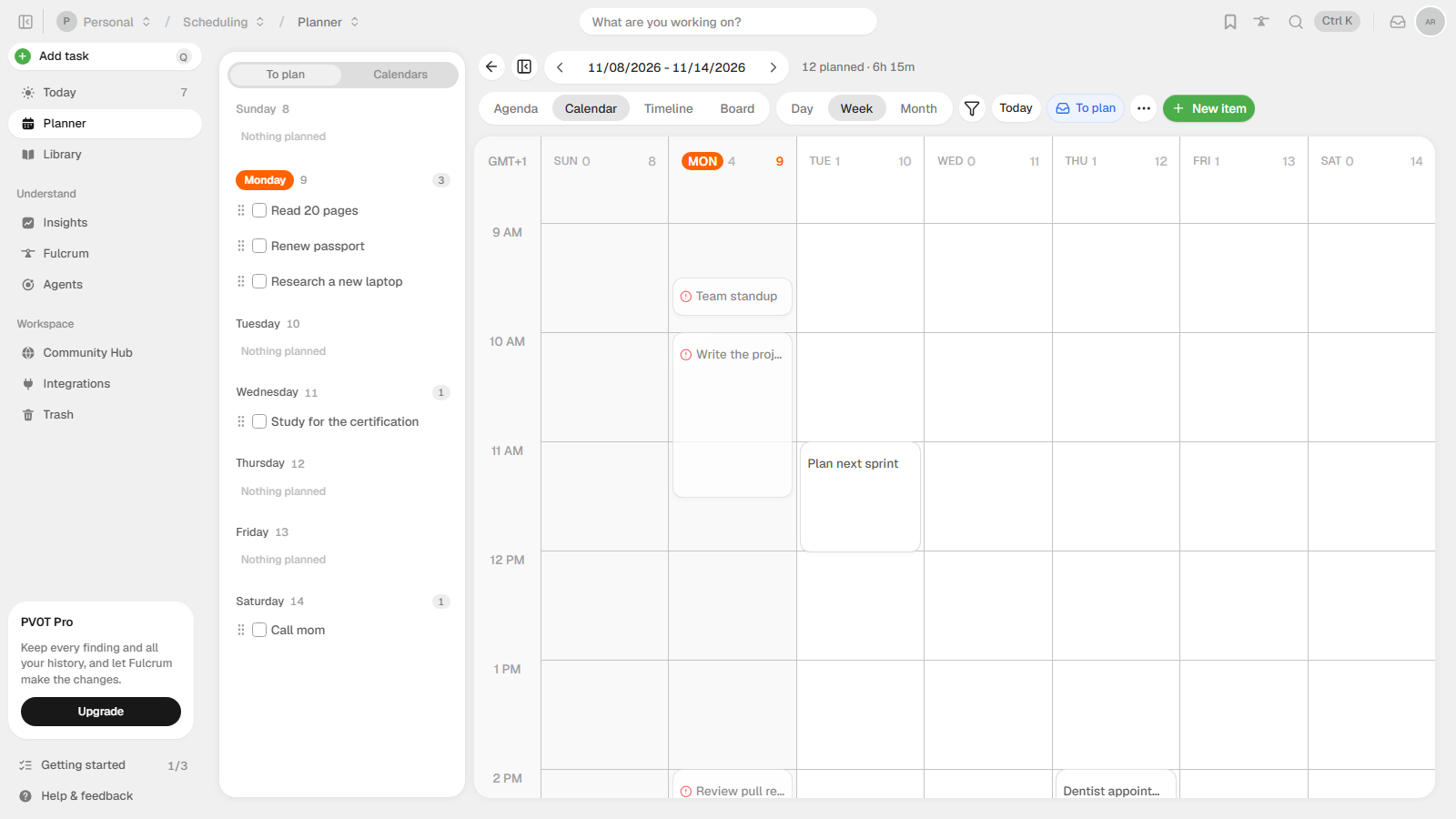
What's on the page
- The views at the top: Agenda, Calendar, Timeline and Board.
- The timeframe: Day, Week or Month, with arrows to move through time and Today to come back.
- The side panel on the left, with three tabs:
- Untimed: items planned for a day but not a time.
- To plan: tasks without a day yet.
- Calendars: the PV0T calendar and any calendars you've connected, which you can show or hide.
- Filter, More options (⋯) and New item beside the timeframe.
Add items to your plan
- Click New item to create one.
- Tasks you add with a day or a time show up here automatically.
- Drag a task from To plan onto a day, or onto an hour to give it a time.
- Drag an item from Untimed onto a time in the calendar.
Work with an item
Hover over an item to mark it Done, start its timer, or open more actions (⋯). Click it to open its details.
Filter what you see
Click Filter to show only some categories, statuses or item types.
Related
Did this answer your question?