Why Task Lists Fail and Systems Succeed
A to-do list tells you what's left. A system tells you why it's there, when it matters, and what happens when it doesn't get done.
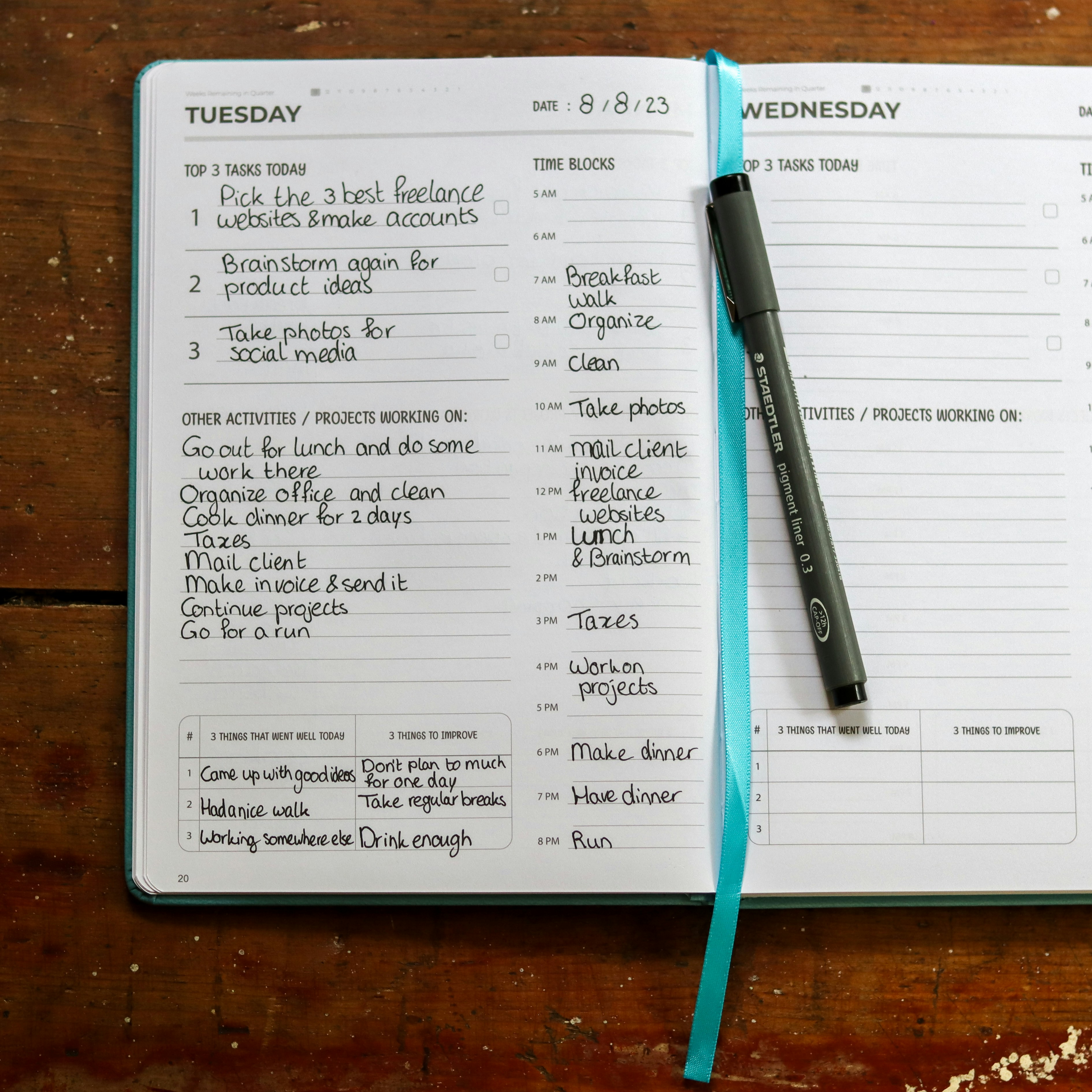
Almost everyone has abandoned a to-do list app. Not because the app was bad, but because a flat list of tasks is a weak model of how work actually behaves. Tasks have dependencies, urgency that changes over time, different energy requirements, and different consequences for being late. A checklist captures none of that — it just gets longer, and the length itself becomes a quiet source of dread rather than useful information.
The seduction of the flat list
Flat lists are popular because they're easy to start. Typing a task takes five seconds; designing a categorized, weighted system takes real thought up front. But that initial ease is exactly what causes the long-term failure — a system with no structure has nowhere to put the information that actually determines whether something gets done, so all of that information stays in your head, uncaptured, while the list itself becomes an increasingly poor proxy for what's really going on.
The missing dimensions
A system, as opposed to a list, adds structure along the dimensions that actually determine whether something gets done: categorization (what kind of work is this, and does it belong in a focus block or a shallow-work block?), duration (is this a five-minute task masquerading as a project, or a two-hour project masquerading as a quick task?), and recurrence (is this a one-off, or does it belong on a weekly rhythm?). Each of these dimensions, once captured, changes how the item should actually be scheduled — information a bare checkbox simply has no room to hold.
This is the thinking behind treating every unit of work in PV0T as an item with its own type, duration, and category, rather than a bare string of text. A 'timer' item with a category and an expected duration is a fundamentally different object than a checkbox — it can be scheduled, it can be measured against its estimate, and it can be grouped with similar work to reveal patterns a flat list would hide entirely.
Systems make the invisible visible
The real value shows up over weeks, not days. A system that logs category-level time reveals, for instance, that 'client communication' has quietly grown to consume a third of your week, or that 'recovery' tasks are the first thing you cut when you're behind — both facts a to-do list would never surface, because it has no memory of its own history. A checklist that gets cleared every day is, structurally, incapable of telling you anything about the shape of your month.
Why completion rate is the wrong single metric
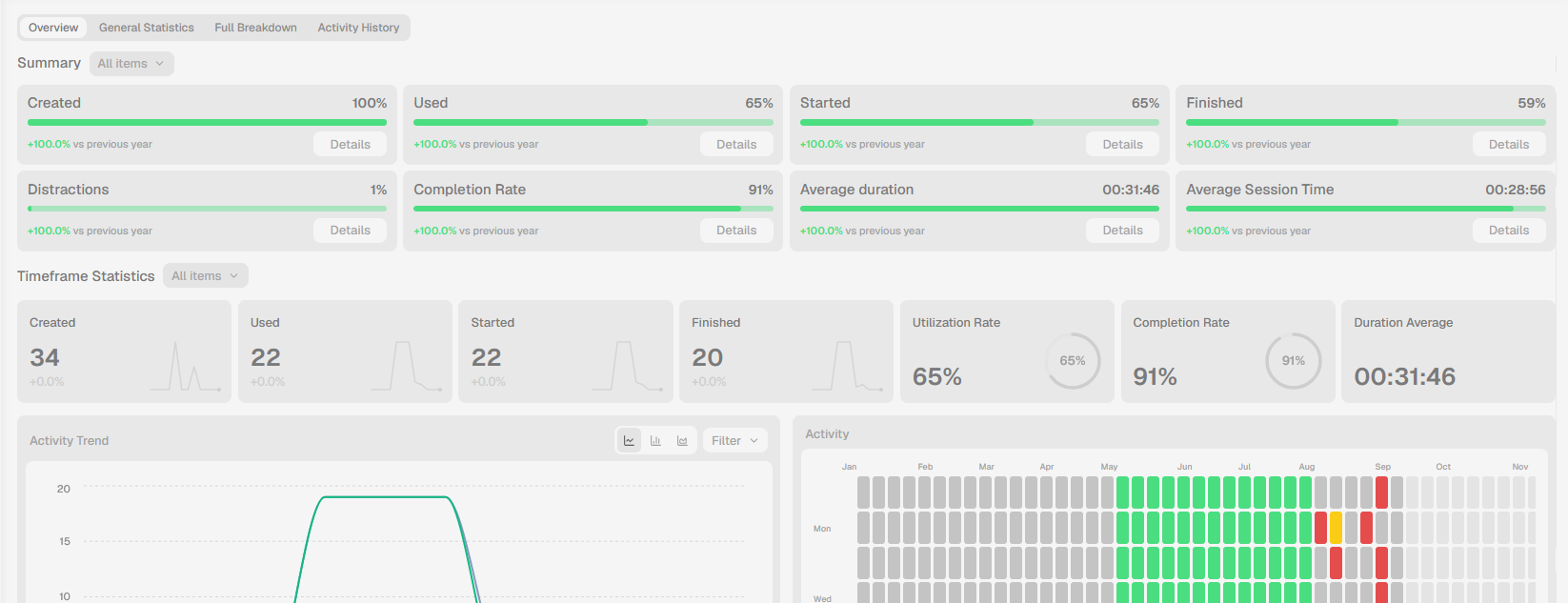
Many task apps optimize for one number: how many boxes you checked. This is a seductive but misleading metric, because it rewards completing many small, easy items over making progress on the few large, important ones. A system that instead tracks time and category alongside completion gives a much richer picture — you can see not just that you were 'productive,' but productive on what, and whether that matches what you actually intended for the week.
The parent-child problem flat lists can't represent
Real work is rarely a single, atomic action. A 'launch the campaign' task is actually a collection of smaller tasks — copy, assets, scheduling, review — each with its own timeline and its own owner. A flat list either collapses all of that into one intimidating line item that sits unchecked for weeks, or scatters the sub-steps across the list with no visible connection to the larger goal they serve, so progress on the pieces never visibly adds up to progress on the whole.
A system that supports genuine nesting — a parent item with real child items underneath it — solves this directly: you can see the whole campaign as a single unit for planning purposes, while still tracking and completing its pieces individually. This isn't a minor convenience; it's the difference between a system that mirrors how complex work actually decomposes and one that forces all work into an artificially flat shape it was never meant to have.
Recurrence as its own category of information
A task that happens every Monday and a task that happens exactly once carry fundamentally different planning implications, yet a flat list usually represents both identically — as a line that either exists or doesn't. Marking recurrence explicitly changes how a system should treat an item: a recurring task's history becomes a dataset worth reviewing (is this Monday review consistently running long?), while a one-off task's only relevant question is whether it got done. Conflating the two loses information a good system should be actively using.
Start with categories, not more tasks
If your task list has stopped working for you, the fix usually isn't a new app with the same flat structure. It's adding the dimensions that were missing: what kind of work this is, how long it's expected to take, and how it recurs. Once those exist, the list stops being a wall of text and starts being a system you can actually reason about, week over week, rather than a diary of everything you meant to do.
A practical migration path
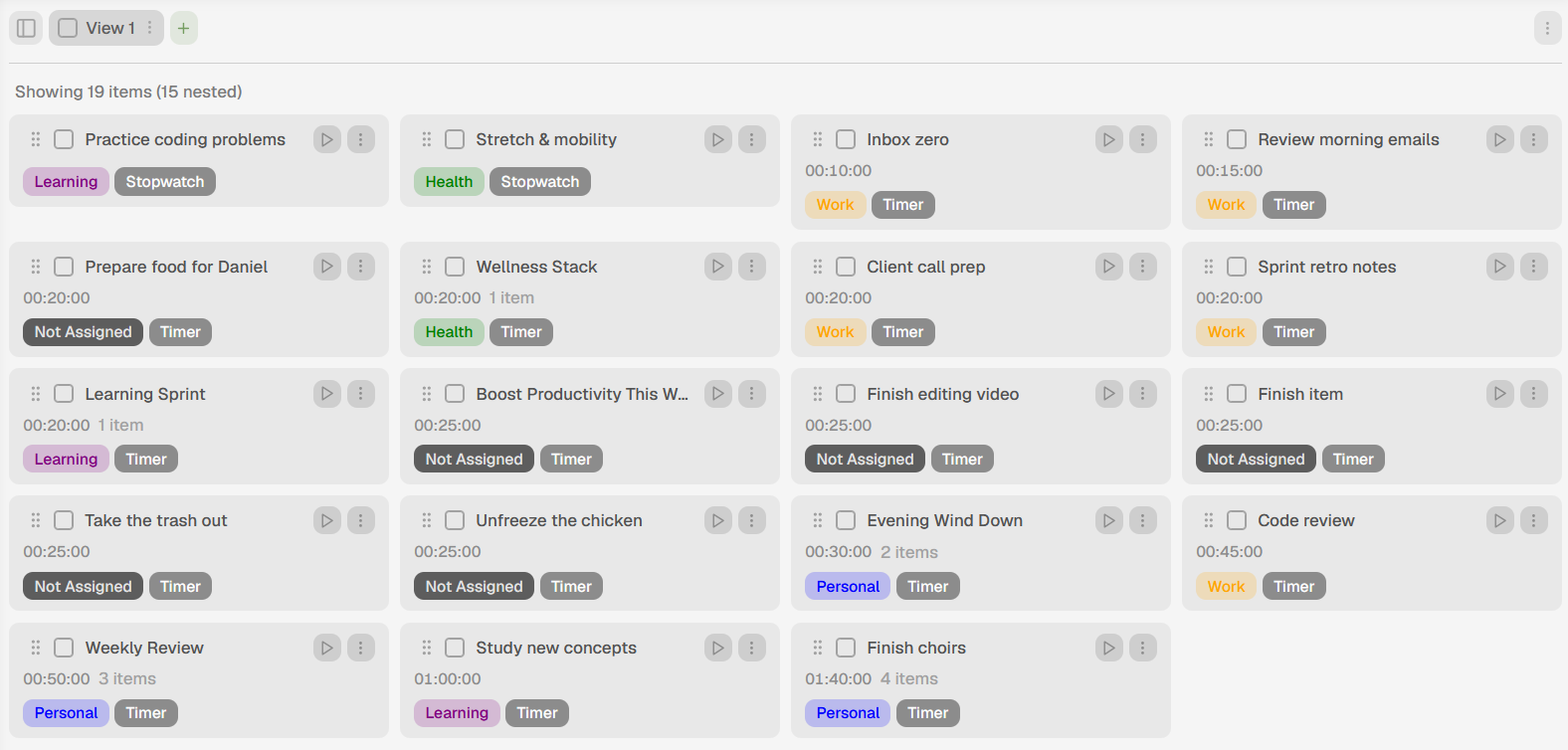
You don't need to rebuild your entire workflow in a day. Take your existing list, sort each item into three or four broad categories, and estimate a rough duration for each. That alone — no new app, no new method — will usually reveal more about where your week actually goes than months of simply checking boxes ever did.
What to expect in the first two weeks
The transition rarely feels dramatic at first. Sorting existing items into categories and adding rough durations takes maybe twenty minutes the first time, and the immediate payoff is modest — a slightly more organized-looking list. The real value only becomes visible once a week or two of new items have flowed through the same structure, at which point the categorized view starts producing the pattern-level insight a flat list was never able to generate, however long you'd been maintaining it.
Resist the urge to over-engineer it immediately
A common mistake at this stage is treating the migration as an opportunity to build the perfect system in one sitting — a dozen categories, elaborate duration estimates, custom recurrence rules for everything. This almost always backfires, because an elaborate system built before you have any real usage data is just a more sophisticated guess. Start with the minimum structure that captures the dimensions actually missing from your current list, and let real weeks of use tell you where more structure is actually needed, rather than designing it all up front from theory alone.